How do I self-host an AI agent?
You need a machine with Docker, a key for an AI model or a local model, and about 15 minutes. Install the server, sign in, add a model, and give your first bot a task. The steps work for Casama and for other self-hosted agents.

What you need
- A machine with Docker: a VPS, a home server, or your own Mac, Windows or Linux computer.
- A model: an API key from a provider such as Anthropic, OpenAI or Google, a plan the agent can sign in with, or a local model running in Ollama.
- Optional: a domain, if other people will reach the server over the internet.
The steps
The outline below is the same for any self-hosted agent. The Casama lines show its own way to do each step.
1. Install the server
Follow the agent's install guide, on a machine with Docker. The installer should check Docker, create every secret, start the stack and print the address when it is done.
For Casama, run casama selfhost install --local on your own machine, or casama selfhost install --domain casama.example.com on a server. The desktop apps can also do it in one click. See the self-hosting guide.
2. Sign in
Open the address in a browser, or install the agent's app and enter the server's address. In most agents the first person to sign up owns the server.
3. Add a model
In settings, add a model key, sign in with a plan the agent supports, or enter the address of a local model, for example http://127.0.0.1:11434/v1 for Ollama on the same machine. With Docker, the server may need your computer's network address instead of 127.0.0.1.
4. Meet your first bot
Ask it for something real: "find the three best-rated ramen places near me and put them in a table".
5. Reach it from your phone
A server that listens only on your own computer can't be reached from outside. To use it from your phone, give it an address your phone can reach: a domain, a tunnel or a VPN. Check that the agent has a phone app that can connect to your own server. Casama Link gives a Casama server such an address.
After it's running
| Job | How |
|---|---|
| Update | Pull the new version and run the installer again |
| Back up | Back up the database and the data folder; the agent's docs list what to keep |
| Add people | Invite them from settings, if the agent has more than one user |
| Watch costs | Check the provider's dashboard; a local model costs only electricity |
| Add tools | Connect apps, install skills, or add MCP servers |
Common problems
- Docker isn't running. Start Docker Desktop, or the Docker service on Linux, and run the installer again.
- The phone app can't find the server. A server on
localhostisn't reachable from outside. Use a domain, a tunnel or a VPN. - A local model is slow or forgets tools. Use a larger model, or keep a hosted model as the bot's fallback.
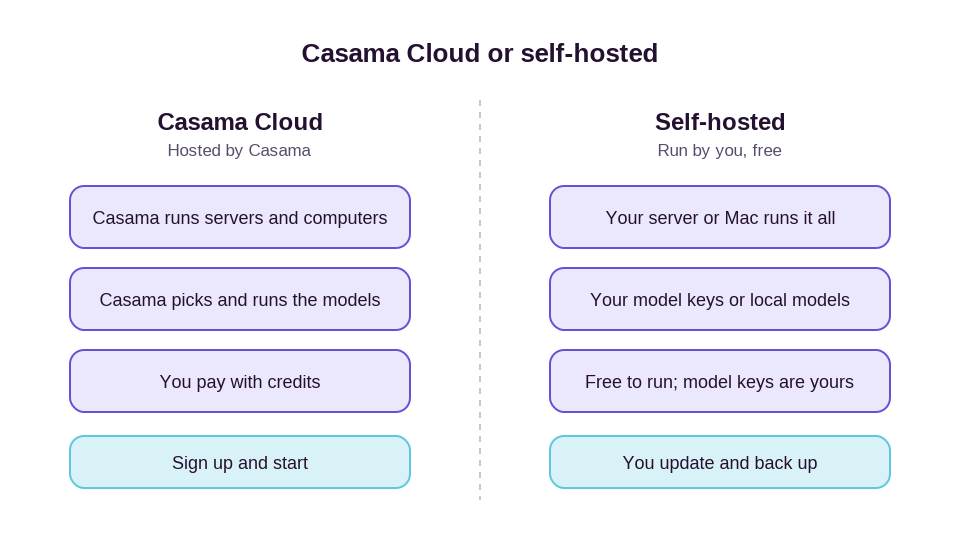
Casama
Casama runs on Casama Cloud or on your own computer or server. Self-hosting is free for one person's personal use, with a license you get by signing in with a Casama account. A business pays for each active user. The apps, SDKs and CLI are open source; the engine is closed and installs as signed container images. See self-hosting.