How do I self-host an AI agent?
You need a machine with Docker, a key for an AI model or a local model, and about 15 minutes. Install the server with one command, sign in, add a model, and give your first bot a task.

What you need
- A machine with Docker: a VPS, a home server, or your own Mac, Windows or Linux computer.
- A model: an API key from a provider such as Anthropic, OpenAI or Google, a ChatGPT plan, or a local model running in Ollama.
- Optional: a domain, if other people will reach the server over the internet.
The steps
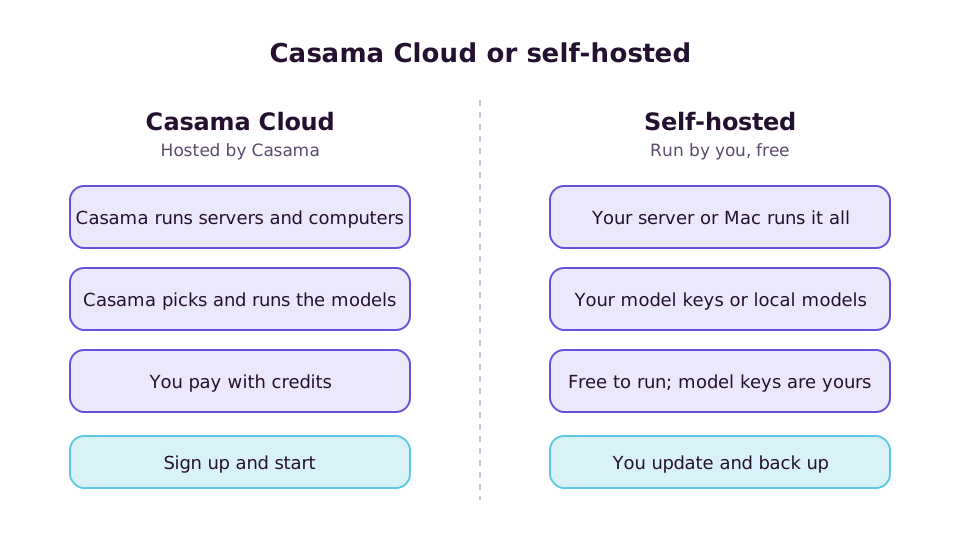
These use Casama, which is open source and free to self-host. Other self-hosted agents follow the same outline.
1. Install the server
To try it on your own computer:
git clone https://github.com/stackwares/casama && cd casama
./install.sh --local
For a server on the internet, point a domain at the machine first, then:
./install.sh --domain casama.example.comThe installer checks Docker, creates every secret, starts the stack and waits until it is healthy. It prints the address when it is done.
2. Sign in
Open the address in a browser, or install the Casama app and enter the server's address. The first person to sign up owns the server.
3. Add a model
In settings, add a model key, sign in with your ChatGPT plan, or enter the address of a local model, for example http://127.0.0.1:11434/v1 for Ollama on the same machine.
4. Meet your first bot
A short welcome chat sets up your first bot. Ask it for something real: "find the three best-rated ramen places near me and put them in a table".
5. Reach it from your phone
A server installed with --local answers only on that computer. Turn on Casama Link and it gets an address your phone can reach from anywhere, free, with no domain and no open ports. Scan a code with the app to sign in.
No terminal?
The Casama desktop app for Mac and Linux can run the server for you: start Docker Desktop, then choose Run Casama on This Computer on the sign-in screen. It needs about 10 GB of free disk.
After it's running
| Job | How |
|---|---|
| Update | Pull the new version and run the installer again |
| Back up | Back up the database and the data folder; the docs list what to keep |
| Add people | Invite them from settings; there is no limit on users |
| Watch costs | The Usage screen shows spend by bot and model. Local models are recorded at $0 |
| Add tools | Connect apps, install skills from the gallery, or add MCP servers |
The self-hosting guide covers requirements, every option, production advice and troubleshooting.
Common problems
- Docker isn't running. Start Docker Desktop, or the Docker service on Linux, and run the installer again.
- The phone app can't find the server. A
--localserver isn't reachable from outside. Use Casama Link or a domain. - A local model is slow or forgets tools. Use a larger model, or keep a hosted model as the bot's fallback.