How do AI agents work?
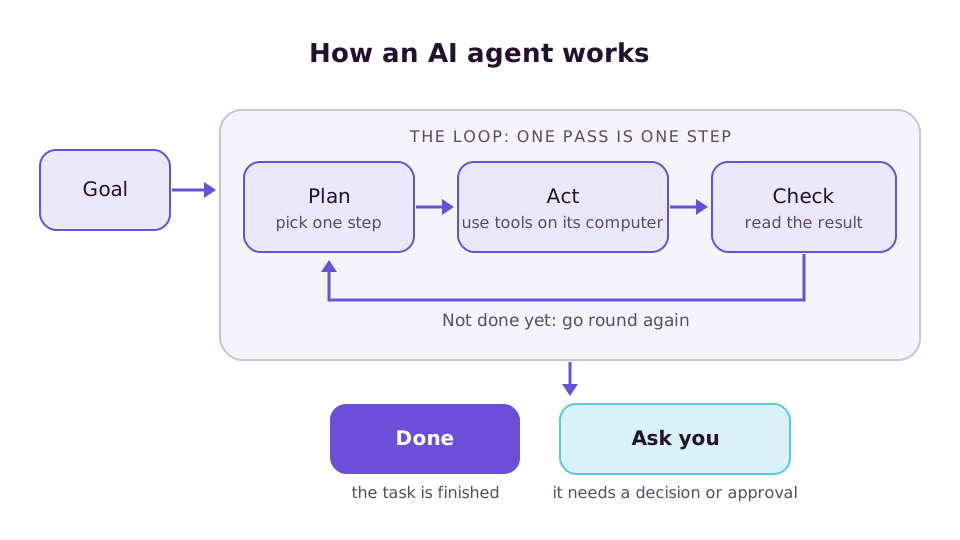
An AI agent runs a loop. The model picks the next step, a tool carries it out, the model reads the result and picks again, until the task is done or it needs you.
The loop
Every agent, whatever it is called, does roughly this:
- Read the task and everything it knows: your request, its instructions, what it remembers.
- Pick one step, such as "open this page" or "run this command".
- Use a tool to carry out the step.
- Read what happened: the page's content, the command's output, an error.
- Decide: another step, a question for you, or a final answer.
One pass through the loop is a step. A simple task takes a handful. A research task can take dozens. Each step is a call to an AI model, which is why long tasks cost more than a chat message.
The parts
| Part | What it does |
|---|---|
| Model | Chooses each step. It doesn't act by itself; it asks for a tool to be used. |
| Tools | The things an agent can do: browse, run commands, read and write files, call your apps. |
| Workspace | Where tools run: your computer, a browser tab, or a computer of the agent's own. |
| Instructions | Who the agent is and how it should work. |
| Memory | Facts and preferences saved from earlier work and recalled when relevant. |
| Skills | Written how-tos for tasks it does often, loaded when needed. |
| Triggers | What starts a task without you: a schedule, an email, a webhook. |
| Guard rails | Approvals, budgets, step limits and sandboxing. |
Why a place to work matters
A model can only produce text. To click a button it needs something that can click. Some agents borrow your browser or your laptop, which is quick to set up but means the agent shares your files and your sign-ins. Others give the agent a computer of its own in a sandbox, so its work is apart from your devices, keeps going when you close your laptop, and can be rolled back.
What keeps the loop in check
Left alone, a loop can go wrong in a few known ways. Each has a standard answer:
- It does something you didn't want. Approvals pause the loop before risky steps.
- It repeats a failing step. A loop guard stops repeated identical actions.
- It runs up a bill. Budgets per task and per day end the run at a limit.
- A web page tells it what to do. Content from outside is marked untrusted, and steps that send data out ask first.
- The server restarts mid-task. Durable runs pick up from the last finished step.
How this looks in Casama
In Casama each task is a run with a timeline. You can open any run and see every step, the tool it used, what it cost and why. A run stops at 40 steps or 30 minutes, at the bot's budget, or after five failed steps in a row. Risky steps wait for approval, and a waiting run costs nothing.